Everything you need.
One hotkey away.
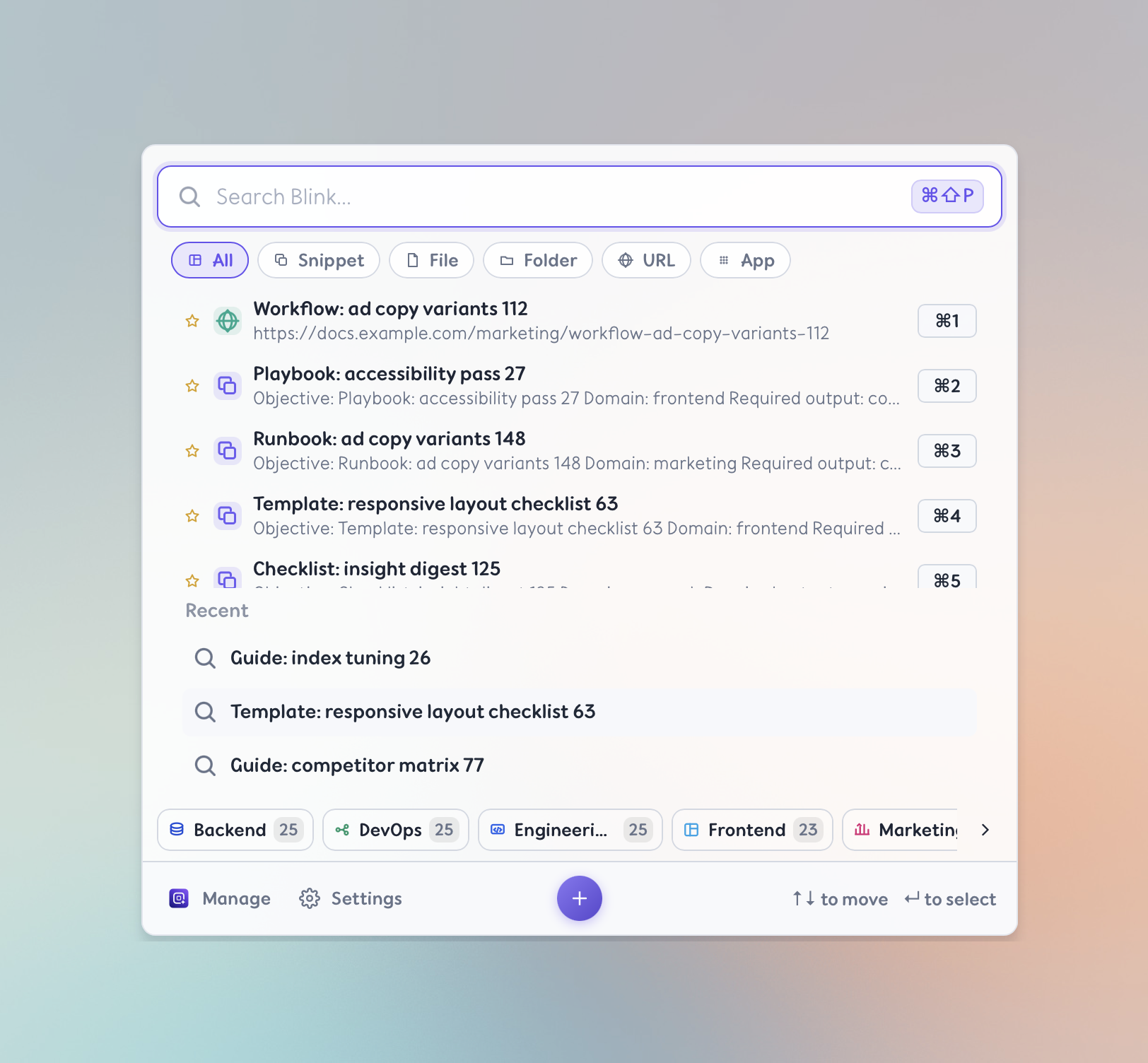
Press ⌘⇧P on macOS or Ctrl+Alt+P on Windows from any app to instantly search and access your snippets, files, folders, URLs, and apps — without breaking your flow.
≤300ms
Quick Panel open time
≤150ms
First search result
100% local
Your data stays on device
No cloud
No accounts required
Press anytime.
Access everything.
The Quick Panel is always one hotkey away. Your entire Blink Library — snippets, files, folders, URLs, and apps — is instantly searchable without ever leaving the app you're in.
One hotkey, anywhere
Press Cmd+Shift+P on macOS or Ctrl+Alt+P on Windows from any app — your Blink Library opens instantly. No switching, no hunting.
Fuzzy search across everything
Type part of a name, tag, or content. Blinky returns results from all Blink types in under 150ms, even with thousands of items.
Act in one keystroke
Hit Enter to copy a snippet, open a file, launch an app, or navigate to a URL — without touching your mouse.
Create, edit,
and organize.
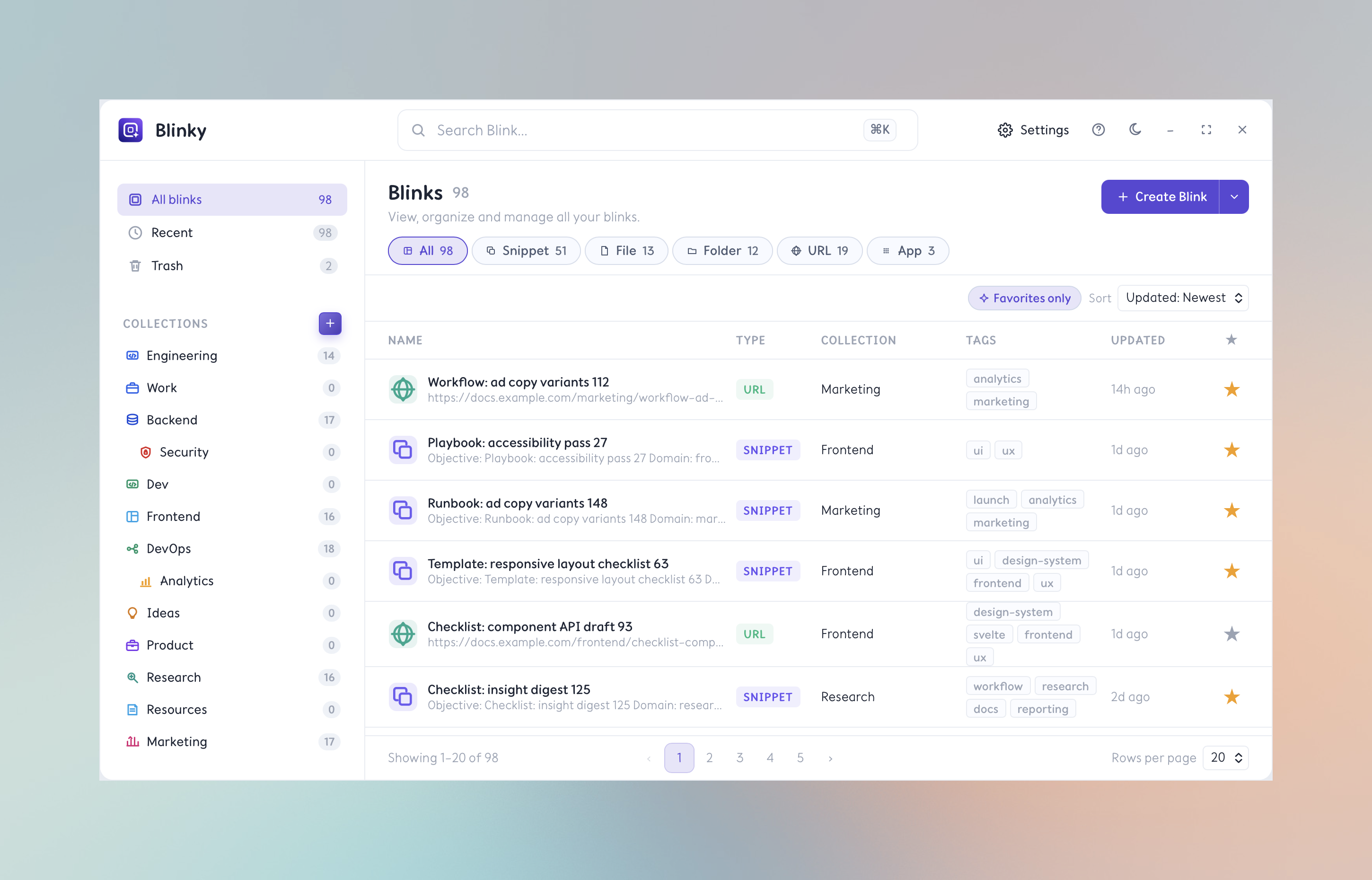
Open the Library from the Quick Panel or menu bar for a full view of your Blink Library. Browse, search, edit metadata, tag, and manage your collection with keyboard-first controls.
Capture anything instantly
Create Snippets from clipboard content. Save files, folders, URLs, or apps with a single action.
Edit and enrich metadata
Rename, retag, move to a collection, or update content — all from the Library's inline editor.
Search, filter, sort
Find Blinks by name, content, tag, collection, or type. Sort by usage, recency, or name.
Import and export
Backup your Blink Library or move it between machines. Data stays local and under your control.
Organize into
Collections.
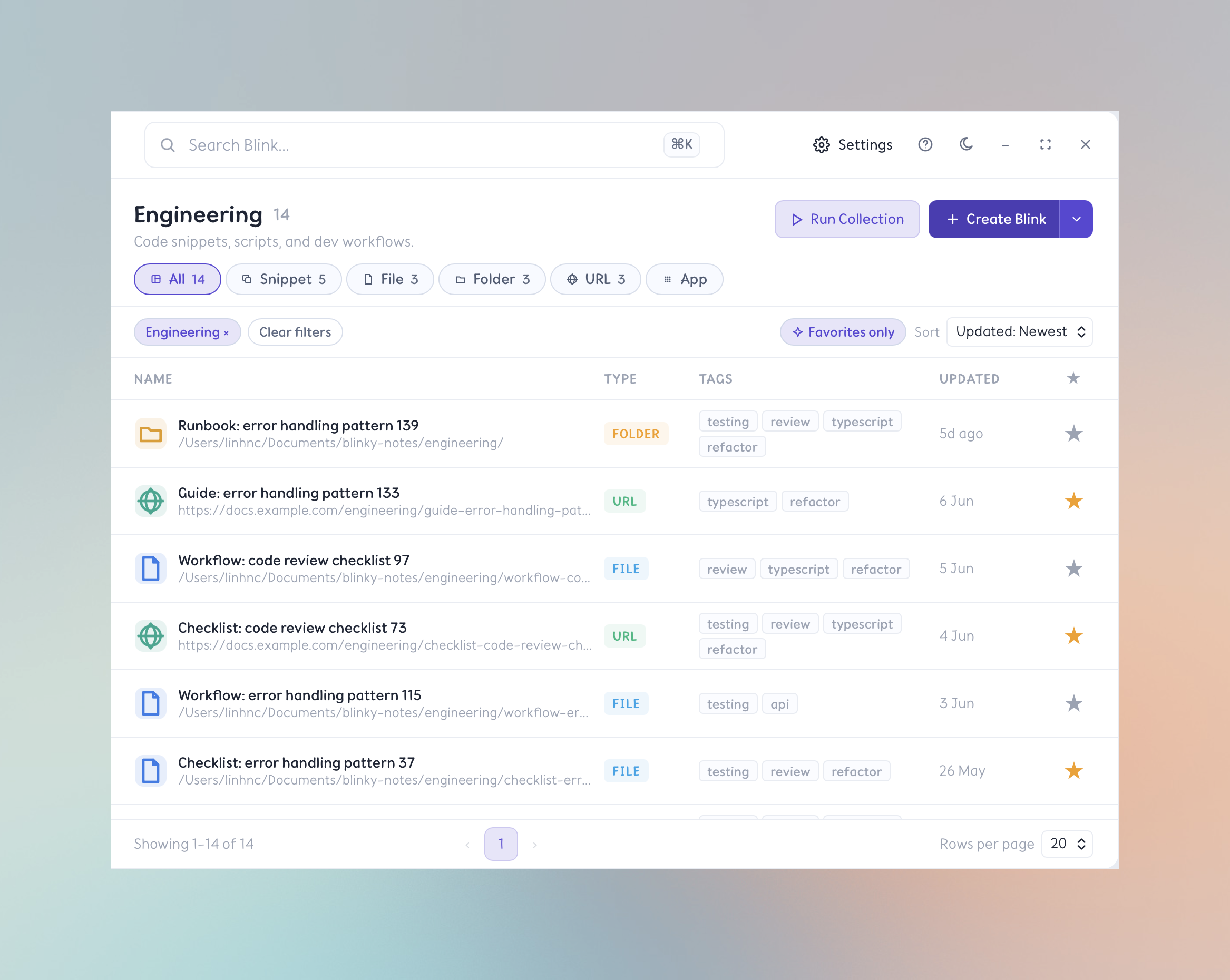
Group your Blinks into named Collections by project, context, or workflow. Jump into a context instantly — and run an entire Collection at once.
- Group Blinks into named Collections — Work, Dev, Personal, or anything you create.
- Assign any Blink to a Collection for sidebar navigation and filtering.
- Run all Blinks in a Collection at once — open every file, URL, or app in a workflow instantly.
- Keep projects and contexts separate so your Library never feels overwhelming.
Run all Blinks in a Collection simultaneously — open every file, URL, and app in a workflow with one command.
Light, dark,
or your own style.
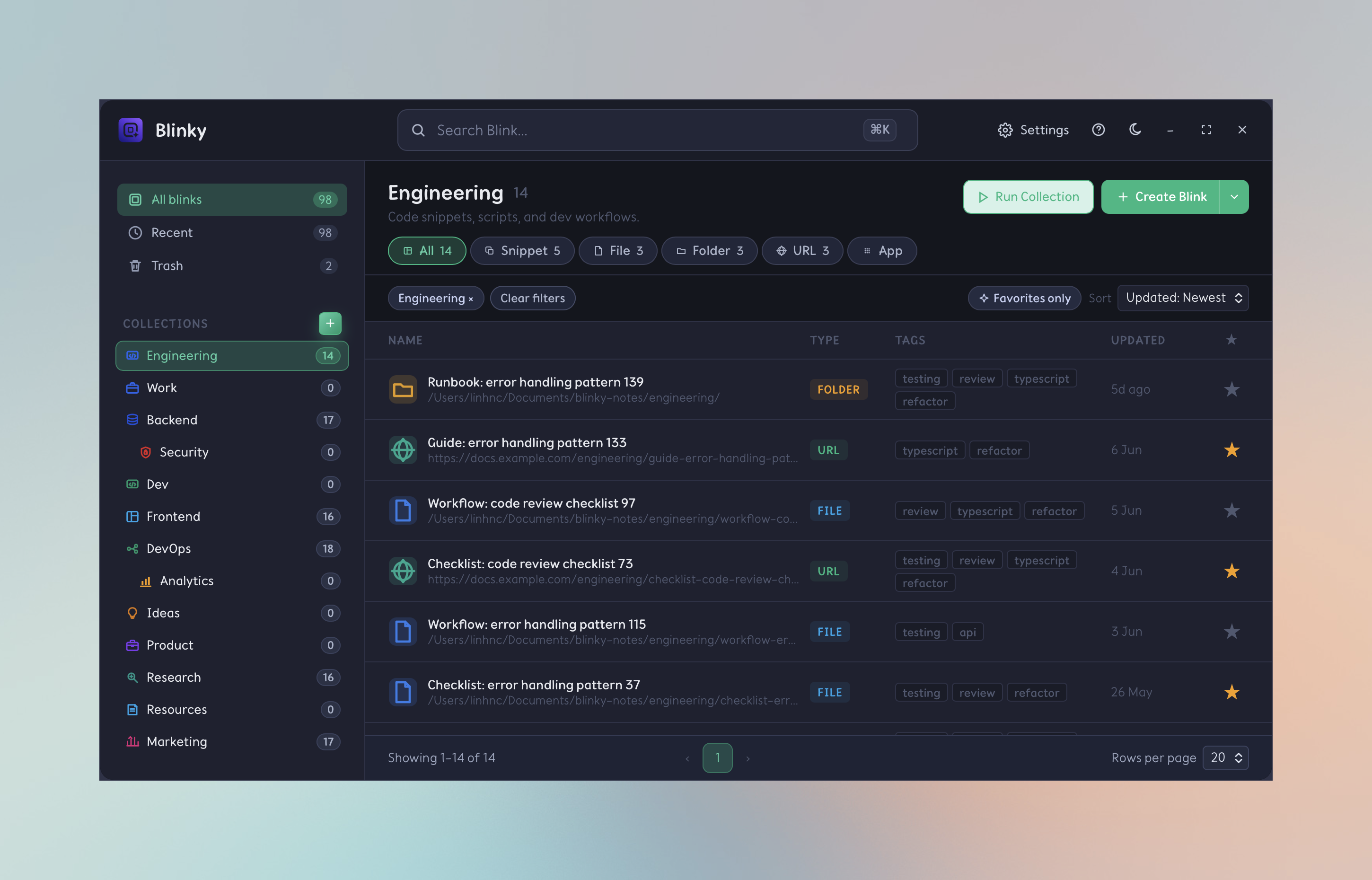
Blinky adapts to your environment. Full dark-mode support, system-sync appearance switching, and per-user accent color customization — so it always feels like yours.
Native dark mode
Blinky follows your system appearance automatically — switch between light and dark without touching a setting.
Per-theme polish
Every surface, icon, and accent is hand-tuned for both modes so nothing looks washed out or over-contrasted.
Accent customization
Pick your accent color in Settings. It cascades across highlights, badges, and CTAs throughout the whole app.
Five Blink Types
One library for
everything you access.
Blinky unifies snippets, files, folders, URLs, and applications into a single searchable store. Every Blink type has a distinct activation action tuned to its context.
Snippet
AI snippets, notes, templates, and any reusable text. Activates by copying to clipboard.
- ChatGPT prompts
- Email templates
- Code boilerplate
File
Any file on your system. Opens with your default application on activation.
- Figma designs
- PDFs
- Spreadsheets
Folder
A directory path. Opens in Finder or Explorer on activation.
- Project roots
- Downloads
- Archives
URL
Any web address. Opens in your default browser on activation.
- Dashboards
- Docs
- Bookmarks
App
Any installed application. Launches or brings to focus on activation.
- Warp
- Figma
- Slack
Use Cases
Built for every
keyboard-first workflow.
Whether you write AI snippets, build software, or manage projects — Blinky fits into your existing workflow without disruption.
AI Power User
Your entire snippet library, one key away
Store hundreds of AI snippets as Snippets. Retrieve and copy any snippet in seconds — without hunting through chat histories or Notion docs.
Developer
Jump to any project instantly
Save project folders, documentation URLs, and tools as Blinks. Launch your full dev environment in one Collection run.
Product Manager
Context-switch without the friction
Keep roadmaps, dashboards, and templates organized by project. Open everything you need for a meeting in one click.
Writer & Creator
Reuse your best work effortlessly
Store outlines, style templates, and brand voice snippets. Copy any snippet into any editor without switching apps.
Operations
Standardize your daily workflows
Build Collections for onboarding, reporting, and recurring processes. Share the setup; run it on any machine.
Power User
Replace every scattered bookmark
Consolidate browser bookmarks, frequently-visited folders, and app launchers into a single, searchable source of truth.
Pricing
Simple, transparent pricing.
Start free, upgrade when you're ready. No hidden fees.
Free
Everything you need to get started. No credit card required.
- Up to 20 Blinks
- All 5 Blink types
- 3 Collections
- Global hotkey
- Quick Panel
- Basic search
- Run all in Collection
Premium
Unlimited Blinks, unlimited Collections, and advanced features for power users.
- Unlimited Blinks
- Unlimited Collections
- Darkmode and themes
- Import / export
- Priority support
Team
Coming soon — shared Collections, sync across machines, and team-level organization.
- Everything in Premium
- Shared Collections
- Cloud sync
- Team member management
- Admin controls
- Audit log
- Dedicated support
Need help choosing a plan?
Email us and we'll get back to you quickly.